




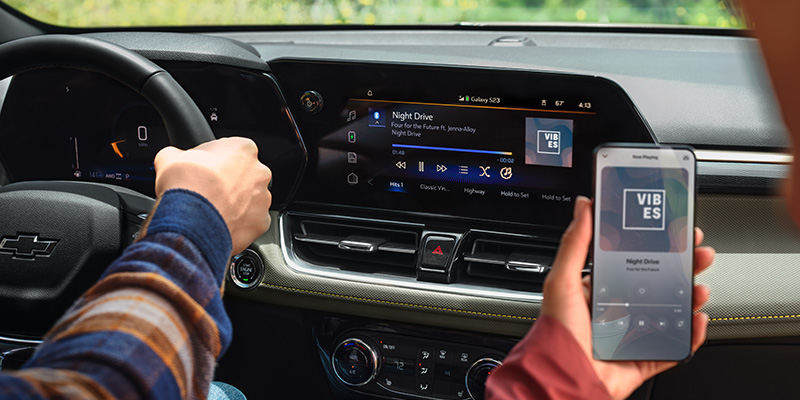
The Chevrolet infotainment system is packed with features designed to make every drive a delight. There’s also an abundance of other Chevy tech features in all models, from the Corvette to the Silverado, that you can see for yourself by visiting your nearest dealership.
Create Dedicated Driver Profiles
Before you start to use the infotainment system, you’ll have the option to create a profile. This is ideal for setting things up just how you like them. It’s especially useful if multiple people drive the car. Following the onscreen prompts, you can create your profile and assign a key fob. This means that whenever you use the key fob, your Chevrolet will recognize you and load the correct infotainment settings without further prompting.
Customize Your Home Screen
To make the most of your personalized driving profile, you can customize the home screen. This includes allocating the most commonly used apps to the Favorites tab. Other options include saving your favorite radio station and setting your home address, or any other location you frequently navigate to. It’s also possible to change the layout of the apps to make it more convenient to access the ones you use most.
Check for Available Updates
Chevrolet releases software updates periodically to help keep your infotainment system working at its best. These might include adding new features, ensuring compatibility with new devices, or simply fixing any glitches or lags. You may be able to install smaller updates yourself, but larger software updates should be installed by your local dealership.
Download Maps
The integrated navigation means you can access directions to any destination in the U.S. and Canada, as well as get real-time traffic updates. Downloading the maps app ensures you can still use the navigation system, even if you don’t have a current cellular signal. You won’t receive real-time updates without a signal, but it ensures you’ll never be without accurate navigation.
It’s a good idea to update the app periodically if you regularly access it offline to ensure it still contains accurate navigation data.
Dealing With Glitches
Your Chevy infotainment system should work flawlessly, but if you notice a lag, a complete reboot can solve the issue. Temporarily disabling the quickstart feature allows the system to fully reboot from scratch and should eliminate any minor issues.
Discover the Latest Chevy Tech Features at Your Local Dealership
If you notice any glitches with the tech in your Chevy or you need a hand with any of its features, head to your local dealership. No one knows your Chevy better than the experienced technicians, and they can help you to make the most of the cutting-edge technology.
With a full range of Chevrolet models, we can show you the type of tech you can expect in your new car. Get in touch with us today at Master Chevrolet in Aiken, SC to book a full demonstration.
Connect with us


